Instead of a TV, she hung a world map in the living room, and rolls it up for movie night



The couch faces a big black rectangle. For the few hours a week the TV is on, it’s the center of the room, and the rest of the time it’s just a dark, dusty screen that pulls every chair toward it and shows nothing at all.
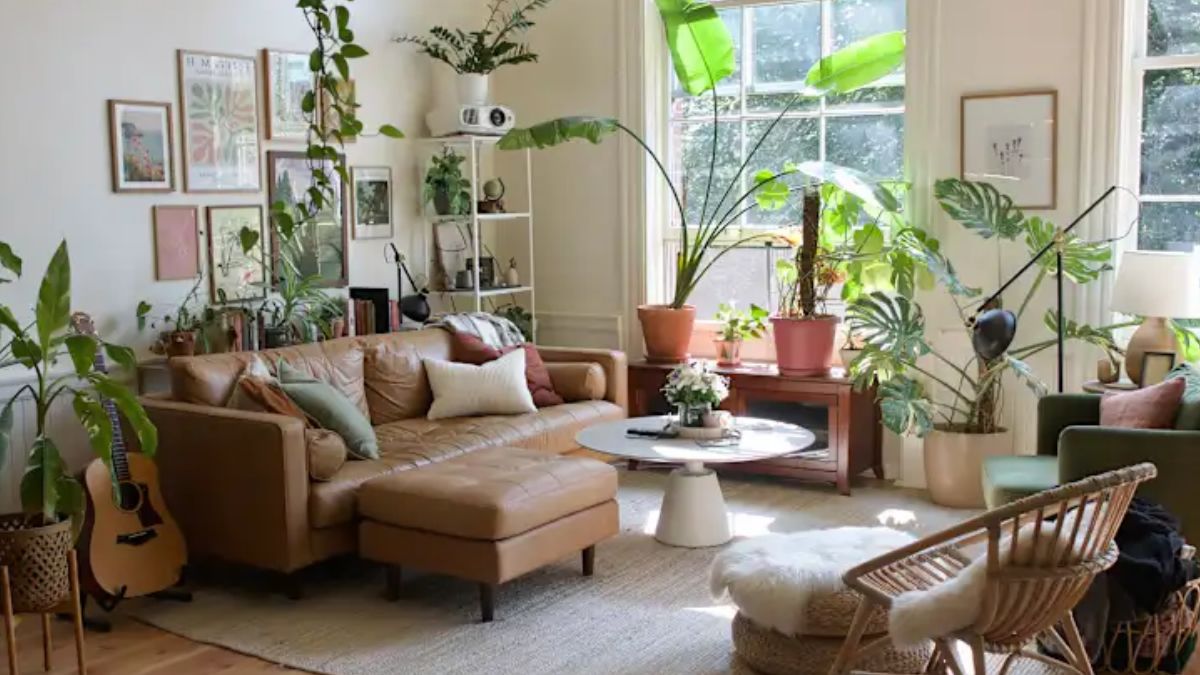
The living room wasn’t the problem, the blank screen was. Molly Anderson, a software engineer living in a historic home in Seattle, never wanted to look at a TV when nothing was on. She also had big blank walls that felt like canvases for something more. So the wall across from her couch holds a large world map instead, and when it’s time for a movie, she rolls the map up and projects the film right onto the wall.
Why the wall beat the flatscreen ?
A TV is furniture you can’t switch off visually. A projector flips that: when it’s off, it’s out of the way, and the wall can hold whatever you want to look at every day. On Anderson’s wall, the map sits between a bookshelf and a library ladder, with greenery and vines running down one side, a calm, natural look that a centered TV would have broken.
Voir cette publication sur Instagram
Her best purchase, she says, was a refurbished Epson Home Cinema 3700 projector.
Some living rooms now skip the standard media cabinet entirely and arrange the seating around conversation, with backlit shelving or a fireplace as the focal point instead of a TV.
Setting up a map-and-projector wall
- Pick the wall. Choose the one across from the main seating, with as few windows and as little direct light as possible.
- Choose a roll-up map. A large map on a roller or a poster hanger can go up and down in seconds, which is what makes this work.
- Keep the wall plain behind it. A light, flat paint color gives the projected image a clean surface once the map is rolled up.
- Place the projector. Set it on a shelf, table or cart facing the wall, and size the image to the area behind the map.
- Frame it with decor. Shelves, plants or a ladder on either side keep the wall looking finished when the map is down.
Not ready to give up the TV? There are middle grounds: a frame built around the screen, a textile cover that hides it when it’s off, a TV designed to display art, or furniture arranged so the screen isn’t the focal point.
Plan B, if you don’t have a map you love: the Library of Congress offers rights-free images in curated sets, including historical maps of cities and early exploration, that you can print as large as your wall allows.
What a projector wall won’t do as well as a TV
A projector struggles in bright light. Daytime viewing in a sunny room can look washed out, so plan on curtains or shades if you watch during the day.
Mind the cords and the heat. Run cables along the baseboard or under a rug edge rather than across a walkway, and leave space around the projector’s vents so it doesn’t overheat.
Hang the map securely, too. Use a hanger rated for its weight, and if it hangs over a seating area, make sure nothing heavy is mounted above anyone’s head.
Let the wall show something worth looking at, and save the screen for movie night. That’s the trick.